
How to Record a Donation
Record a donation against a devotee or walk-in donor from the donations workflow. This creates a ledger entry for finance and reporting.
Available on
All plans
Donations Officer, Accountant, or Temple Administrator.
Navigation path
Donations → Donations
/dashboard/finance/donations
1Open Donations
From the sidebar, open the **Donations** module, then **Donations**.
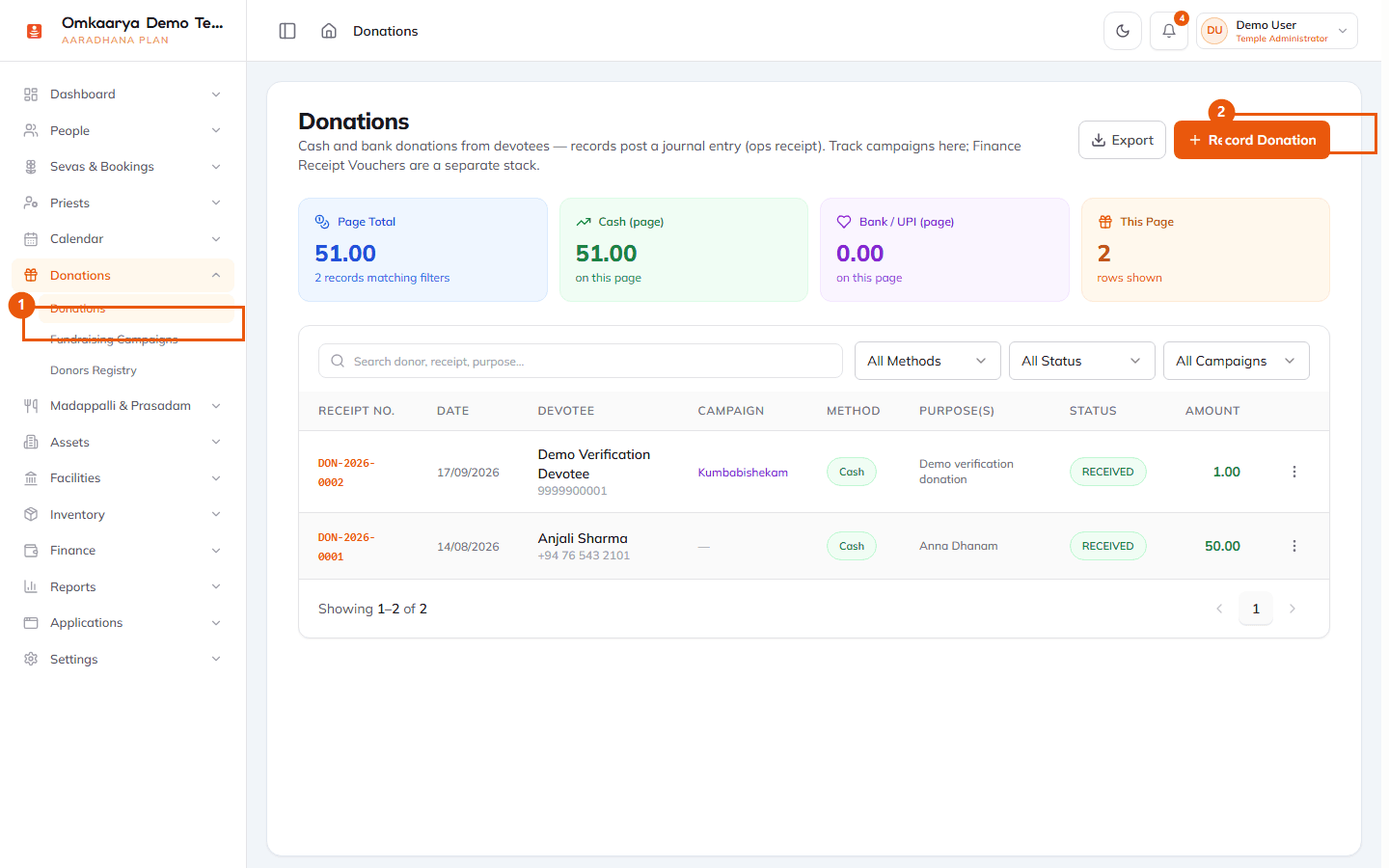
2Record donation
Select **+ Record Donation**, then enter amount, fund/campaign if used, and payer details.
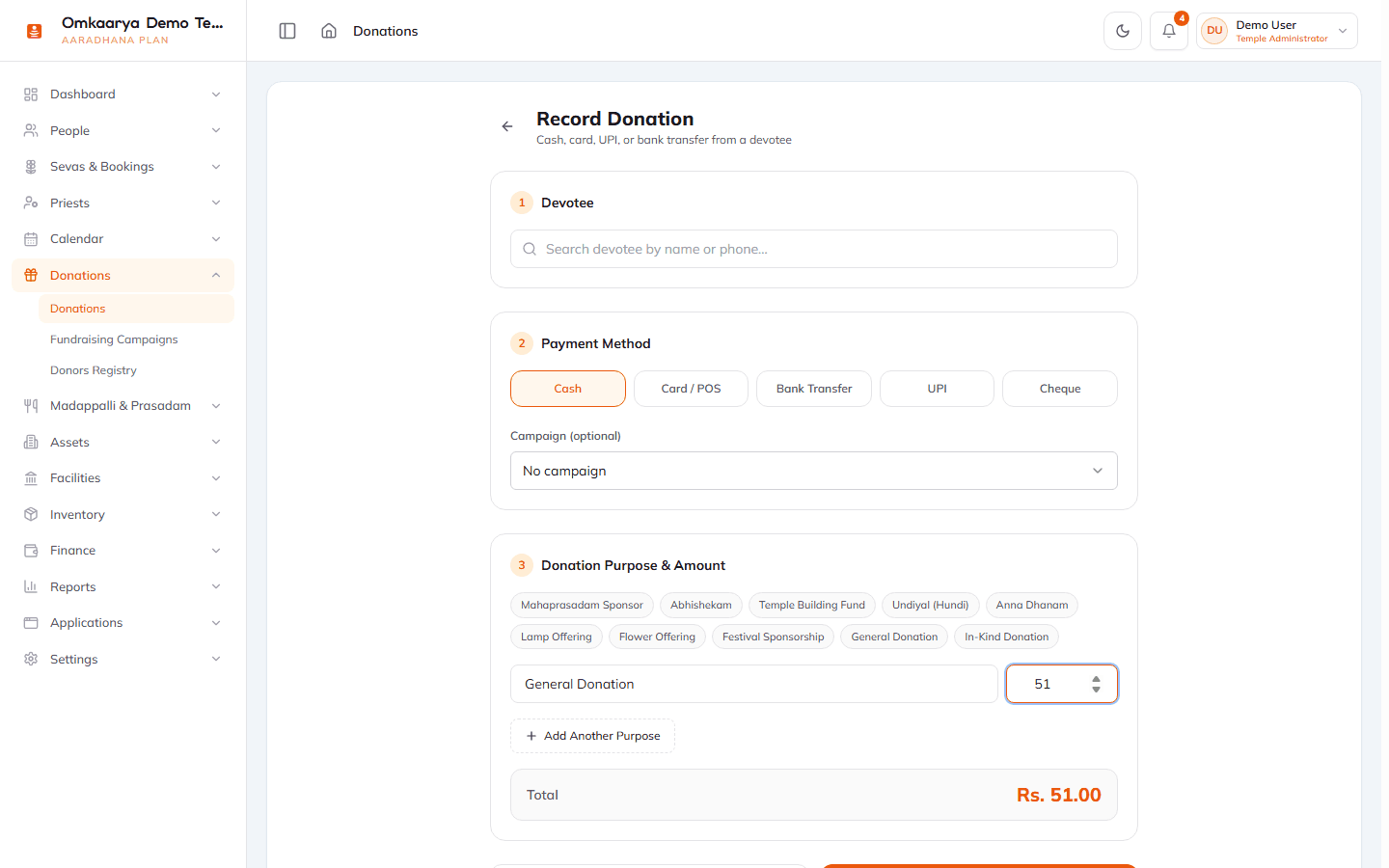
3Save and receipt
Save the record. Print or share receipt using your temple’s standard browser print flow.
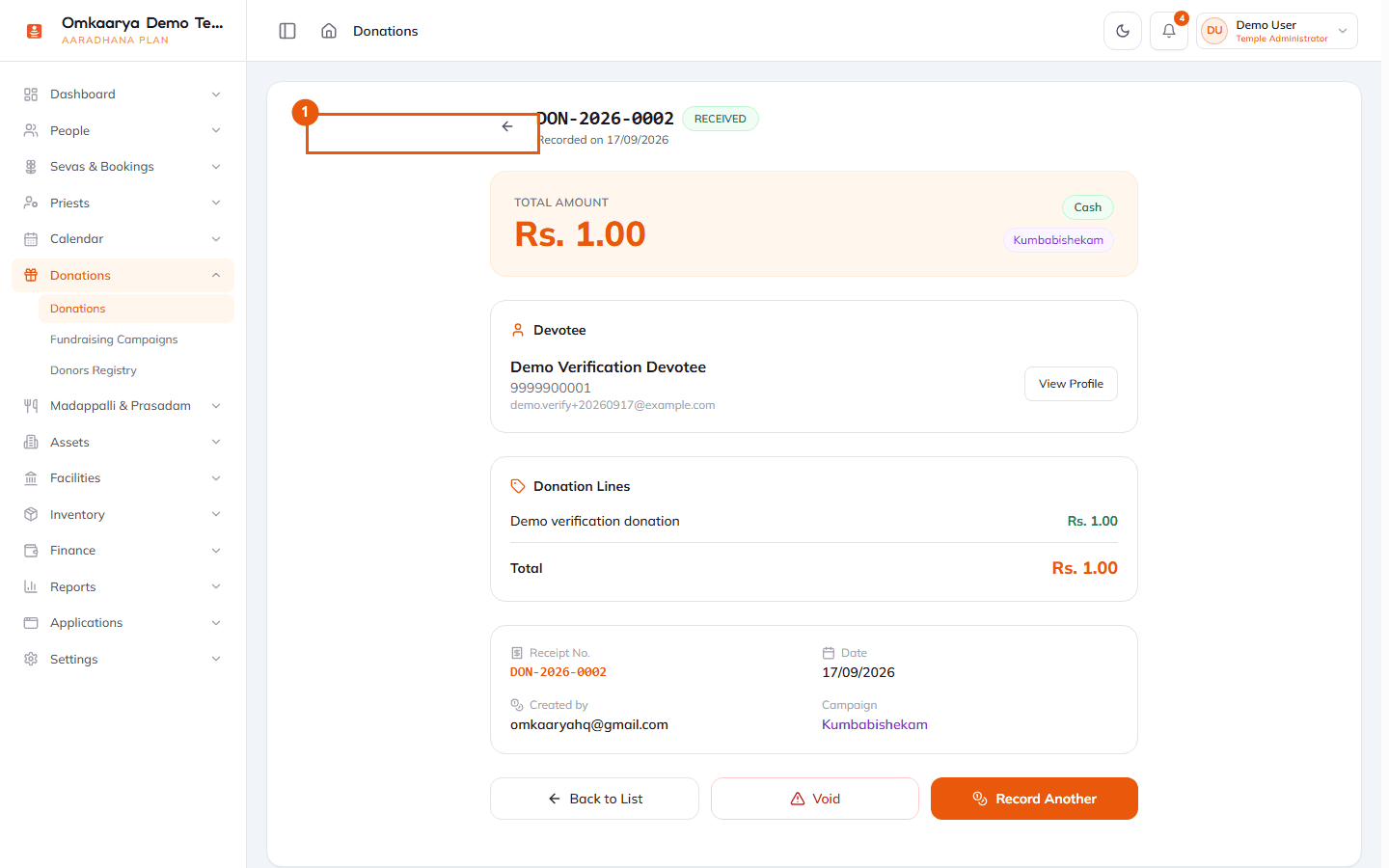
What happens next?
- Donation appears in the donations ledger and operational reports.
Troubleshooting
| Issue | What to try |
|---|---|
| Finance menu locked | Complete setup checklist and confirm finance_basic pack on your plan. |
Related articles
Last updated: 2026-03-19 · HC-DON-002
Was this article helpful?
Still need help?
Try another search term, browse a related category, or reach Omkaarya support through the channels configured for your deployment.