
How to Add a New Devotee
Create a devotee record before bookings, donations, or POS sales that must be tied to a person. Devotees are managed under People.
Available on
All plans
You need permission to manage devotees (typically Temple Administrator or booking staff).
Navigation path
People → Devotees
/dashboard/people/devotees
1Open Devotees
From the sidebar, go to **People → Devotees**.
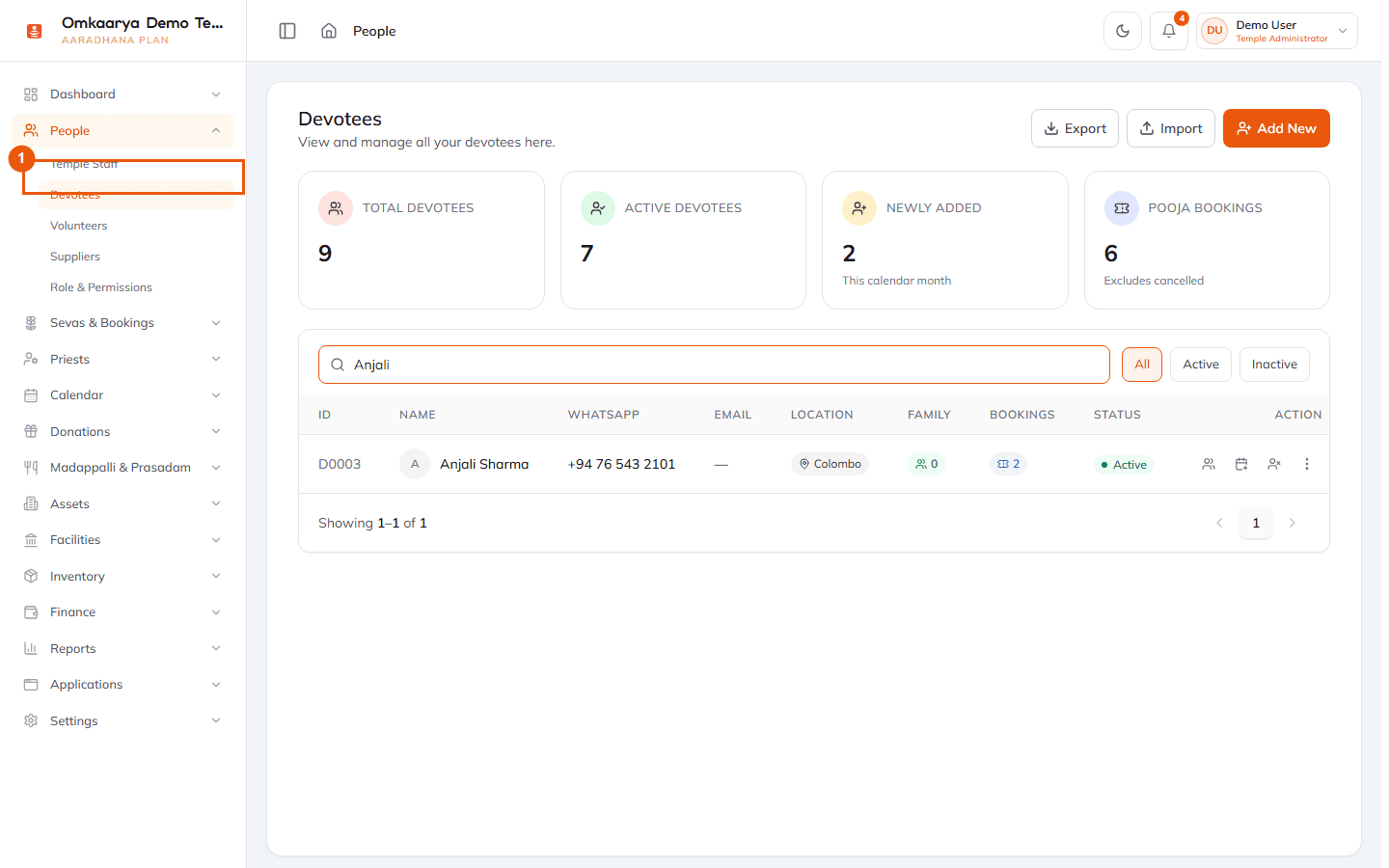
2Start a new devotee
Click **Add New** to open the devotee form.
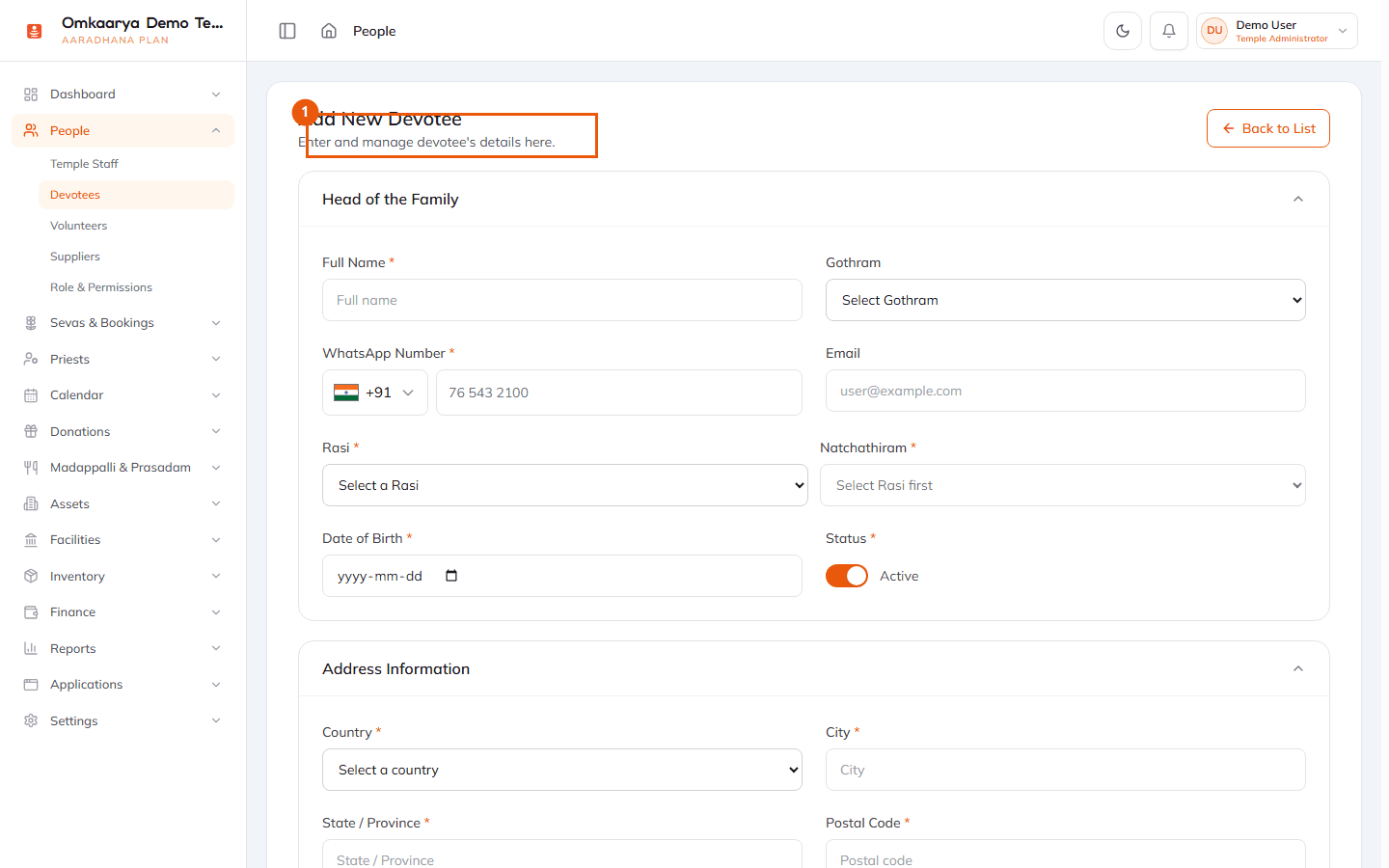
3Enter required details
Fill name, phone, and other fields your temple requires. Save the record. You can search devotees later from booking desk and POS.
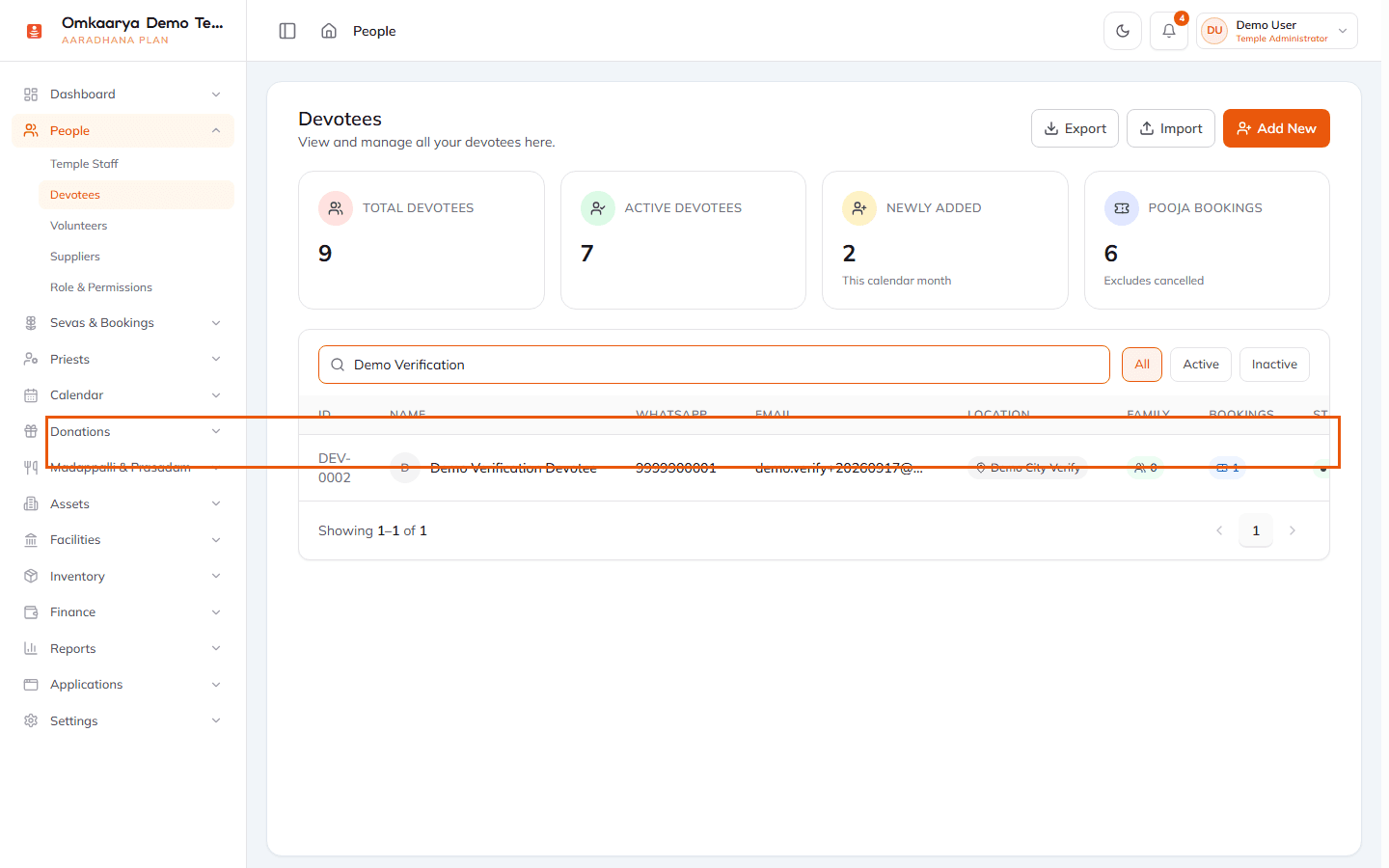
What happens next?
- A devotee appears in the devotees list and can be selected during bookings.
Troubleshooting
| Issue | What to try |
|---|---|
| People menu is missing | Complete setup checklist or ask an administrator to grant People permissions. |
Related articles
Last updated: 2026-03-19 · HC-PEO-002
Was this article helpful?
Still need help?
Try another search term, browse a related category, or reach Omkaarya support through the channels configured for your deployment.