
How to Open a POS Register Shift
Cashiers must open a POS shift on a register before recording walk-in sales. This ties sales to the correct terminal and session.
Available on
All plans
Cashier or Temple Manager role with POS access.
Navigation path
Sevas & Bookings → Registers / Seva POS
/dashboard/pos/registers
1Open POS registers
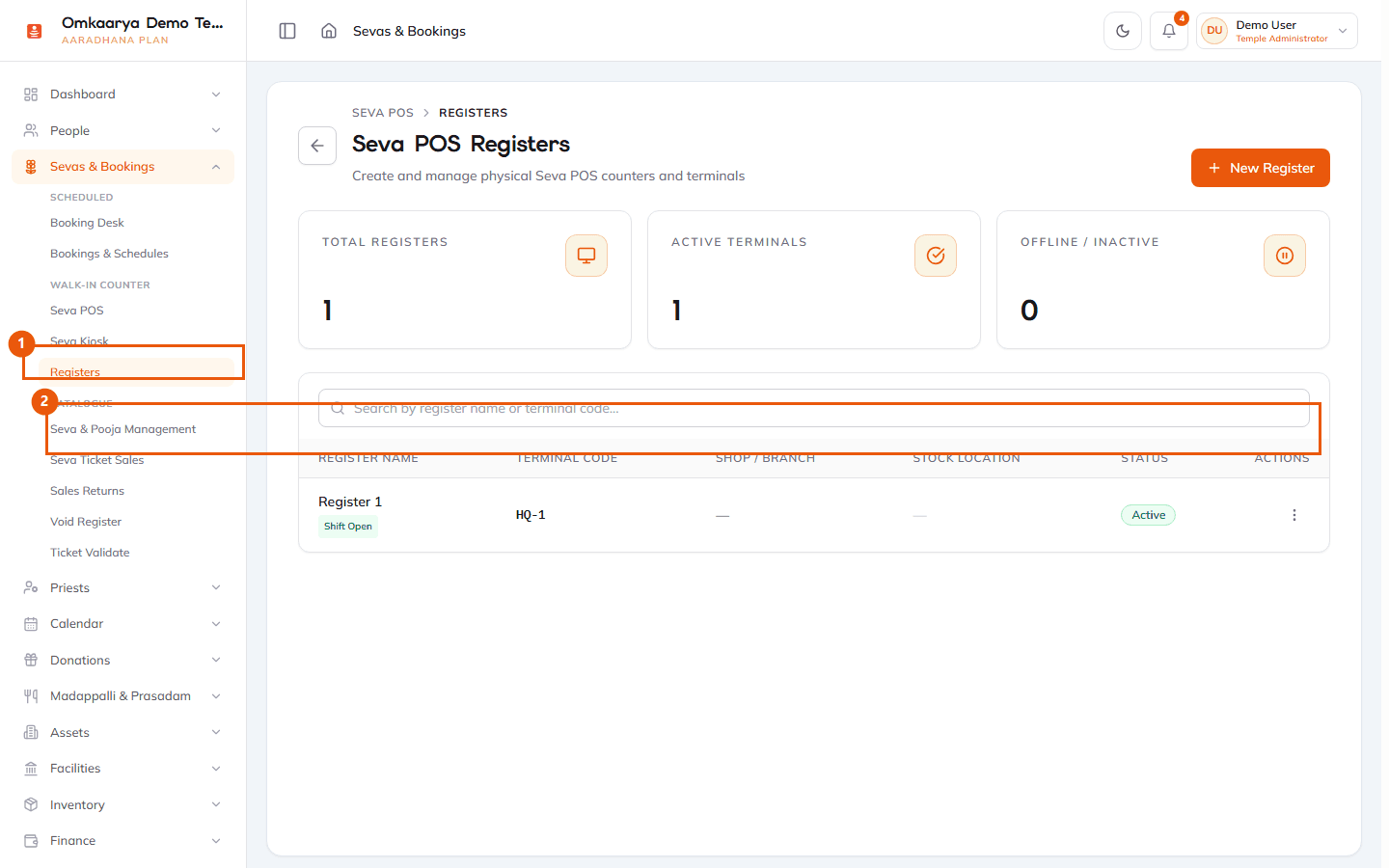
Go to **Sevas & Bookings → Registers** under Walk-in Counter and select your register.
2Open shift
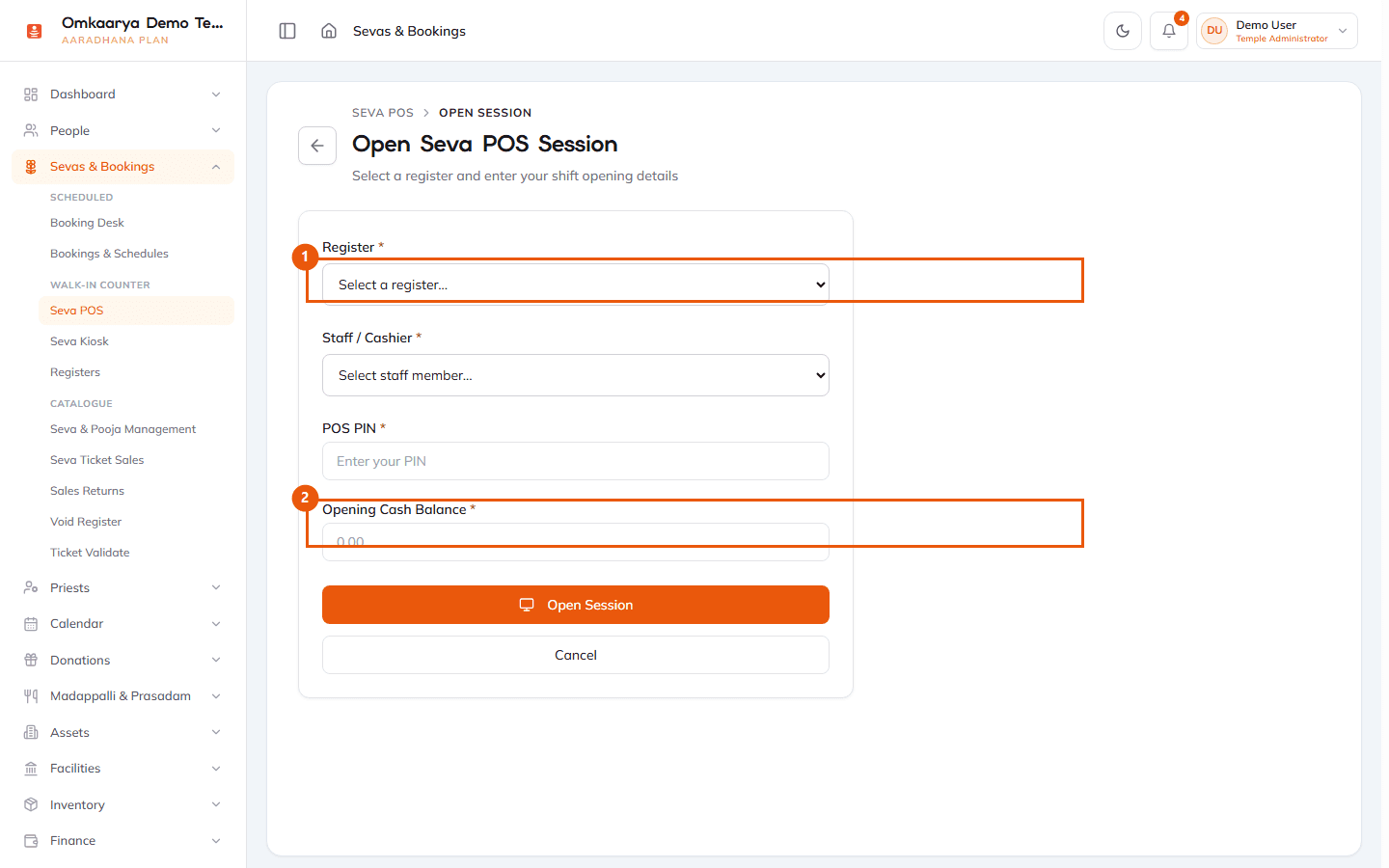
Choose your register, then select **Open Session** with opening cash if your temple tracks float. Note register limits on your plan.
3Proceed to counter
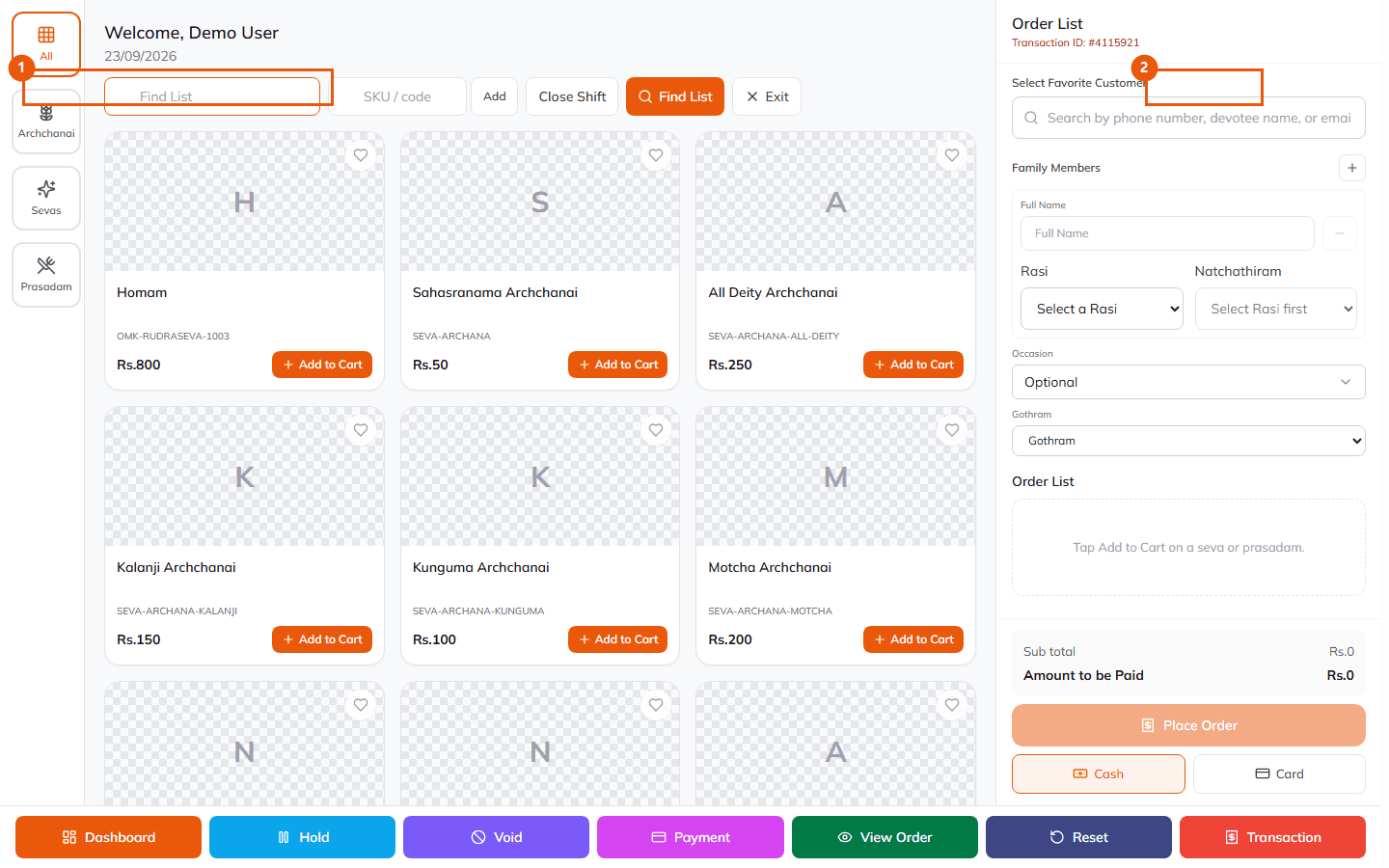
Open the counter/terminal sale screen to add items and complete sales.
What happens next?
- An active shift is linked to your register for audit and reporting.
Troubleshooting
| Issue | What to try |
|---|---|
| Cannot open another register | Your plan limits concurrent POS registers. See plan limits or upgrade options. |
Related articles
Last updated: 2026-03-19 · HC-POS-002
Was this article helpful?
Still need help?
Try another search term, browse a related category, or reach Omkaarya support through the channels configured for your deployment.